Good Practices
Below, you can find some suggestions for using our SDK while preserving accessibility in your applications.
We strongly recommend reading this page carefully to provide a better experience for deaf users.
Introduction/Tutorial
If the SDK is used as a tool for deaf users, it is essential that the avatar provides an initial introduction explaining how the interaction works and what features are available.
WARNING
⚠️ This introduction must be signed.
Avatar Size
Pay attention to the size of the avatar and the window in which it is displayed. It is crucial that the user can clearly see and identify the signs being presented.
Safe Areas
If you do not plan to use the SDK’s default design and instead want to build the interface around the 3D avatar, follow these guidelines:
Do not place elements on top of the avatar or in areas where signing occurs. This may obstruct or even completely prevent visibility of the signs.
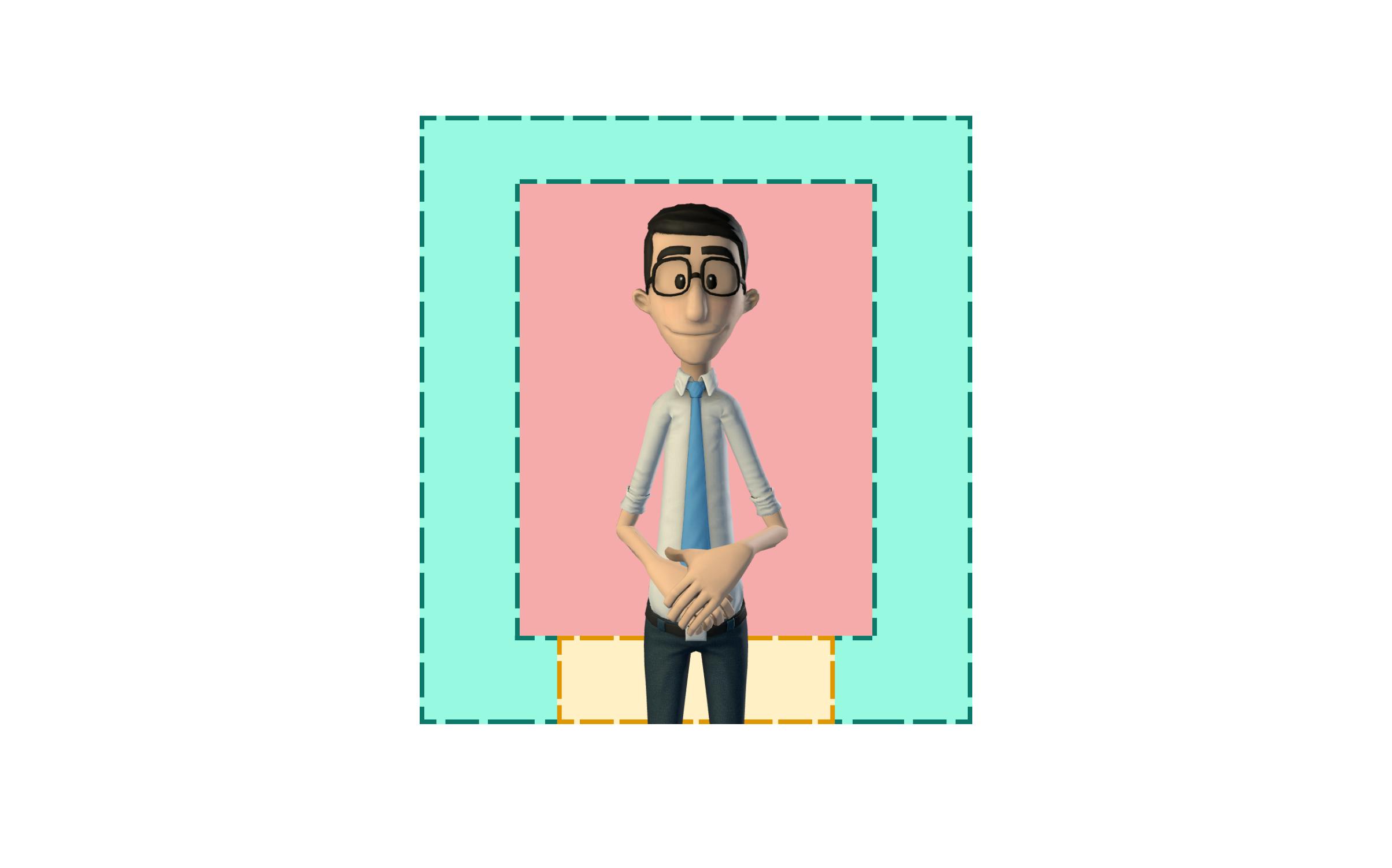
Safe Area (Green): This is an area where no signing occurs, meaning elements can be placed without interfering with the avatar.
Caution Area (Yellow): Some words may be signed in this area. Temporary elements (those that appear for a short time and then disappear) can be placed here.
Risk Area (Red): No elements should be placed in this area during translation.