State Flow
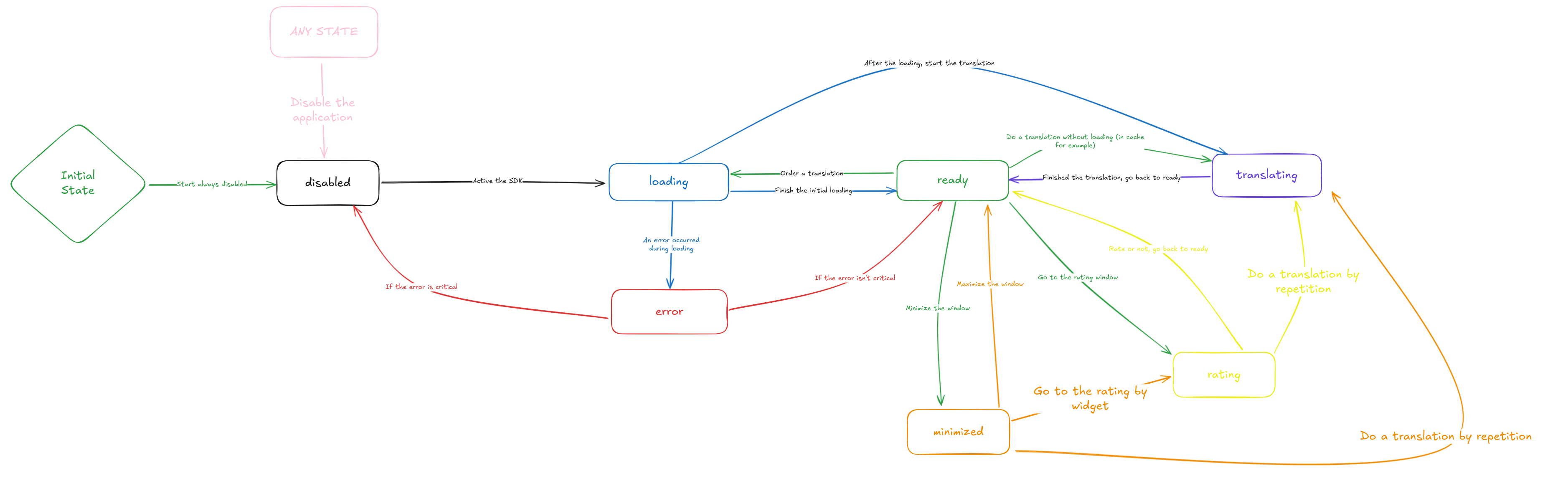
To ensure that the application is predictable and provides a good experience for the developer, we created a state flow where functionalities are limited in their operation. In other words, depending on the current state of the application, certain functionalities cannot be executed, and certain interface elements are also omitted.
This state flow is not limited to functionalities alone; it also helps the developer by providing a way to integrate the SDK with their solution in a reactive and event-driven manner. This means the developer can wait for a specific state to occur before executing a certain action in their own solution.
Flow Diagram
Below, you can see the diagram for the state flow that our SDK follows to transition between states.
Examples of Developer-Side Flows
Below, you can see some examples of flows that you could implement in your solution using the state flow of our SDK. Take them as suggestions for inspiration, keeping in mind that the SDK is versatile enough to accommodate your functionalities within your own state flow.
Repeat Translation Every X Intervals
This flow can be useful when you want to perform a translation and have it repeat every X intervals. A dictionary of words would benefit from this, as the idea would be to allow the repetition of the word for the user's understanding.
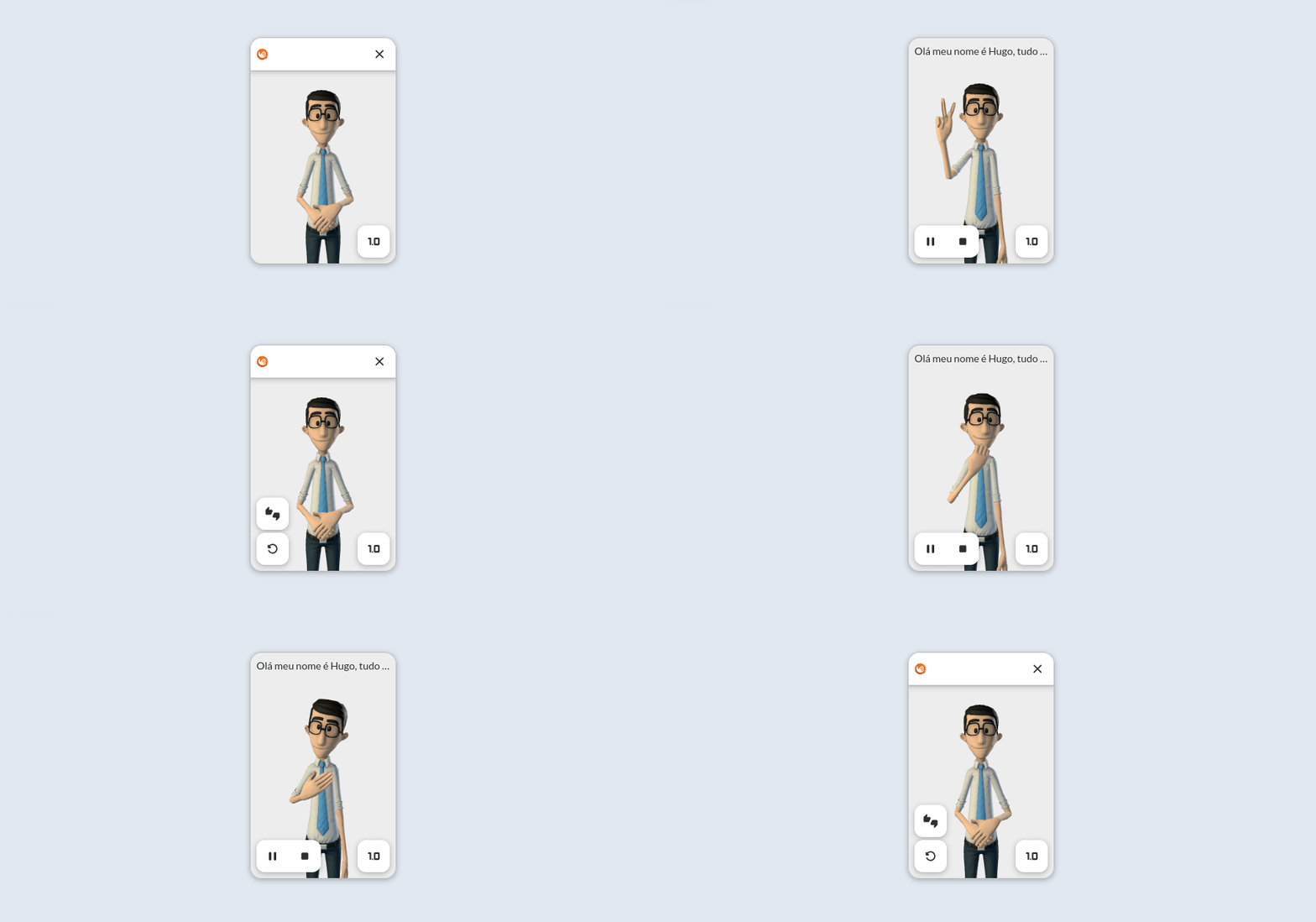
- Translate a word:
ready->translating; - Wait for the translation to finish:
translating->ready; - Set a timer for 5 seconds;
- At the end of the timer, call the repeat functionality;
- Repeat the flow...
Maximize, Translate, Minimize
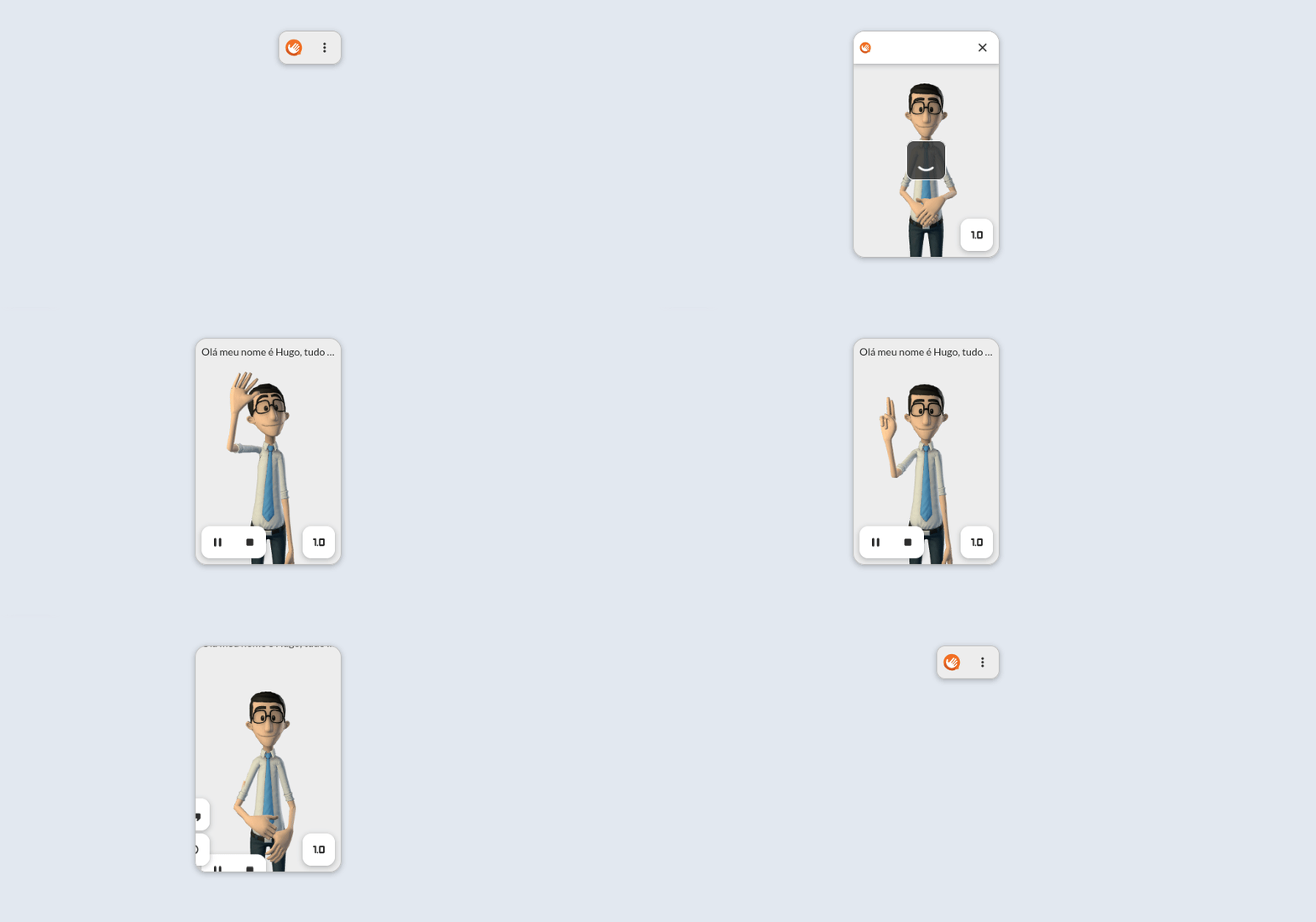
This type of flow is interesting if you want the translation window to only appear while translating for short moments. This type of flow saves space and is widely accepted in places like chat applications.
- Minimize the window:
ready->minimized; - Maximize the window:
minimized->ready; - Translate a sentence:
ready->translating; - Wait for the translation to finish:
translating->ready; - Minimize the window:
ready->minimized; - Repeat the flow...